Professional-Grade NVR Features, Designed for Data Sovereignty.

And Unapologetically Canadian.

Talik is a modern, containerized surveillance solution designed for absolute reliability and total data sovereignty. This "set and forget" system operates autonomously, managing local storage and self-healing its recording processes to ensure your perimeter is always protected without the privacy risks of cloud-dependent platforms.

Inspired by the resilient zones of active ground found deep within the Arctic permafrost, Talik represents a pocket of constant vitality in a static landscape. While legacy security options remain frozen in time, Talik NVR is a living, self-healing system—standing guard with modern intelligence where traditional solutions have stayed static.

Users experience ultra-low latency monitoring through a high-performance WebRTC interface and integrated Edge AI for intelligent object recognition. With robust role-based security, automated audit logging, and a secure remote tunnel for encrypted external access, Talik provides professional-grade security with a strict commitment to local data ownership.
🛡️

User Management & Security

Talik utilizes a Role-Based Access Control (RBAC) system to manage system security and user permissions. All authentication is secured via Argon2id hashed credentials.

Access Controls

  • Administrators: Full access to system configuration, camera discovery, user management, and power operations.
  • Functional Restrictions: Standard users can be restricted to specific areas like Live View, Playback, or Export.
  • Camera Whitelisting: Accounts can be limited to viewing only specific assigned cameras.

Audit Logs

The system automatically logs all administrative actions, including login attempts, configuration updates, and deletions, accompanied by the client IP address.

🎥

Live View & Streaming

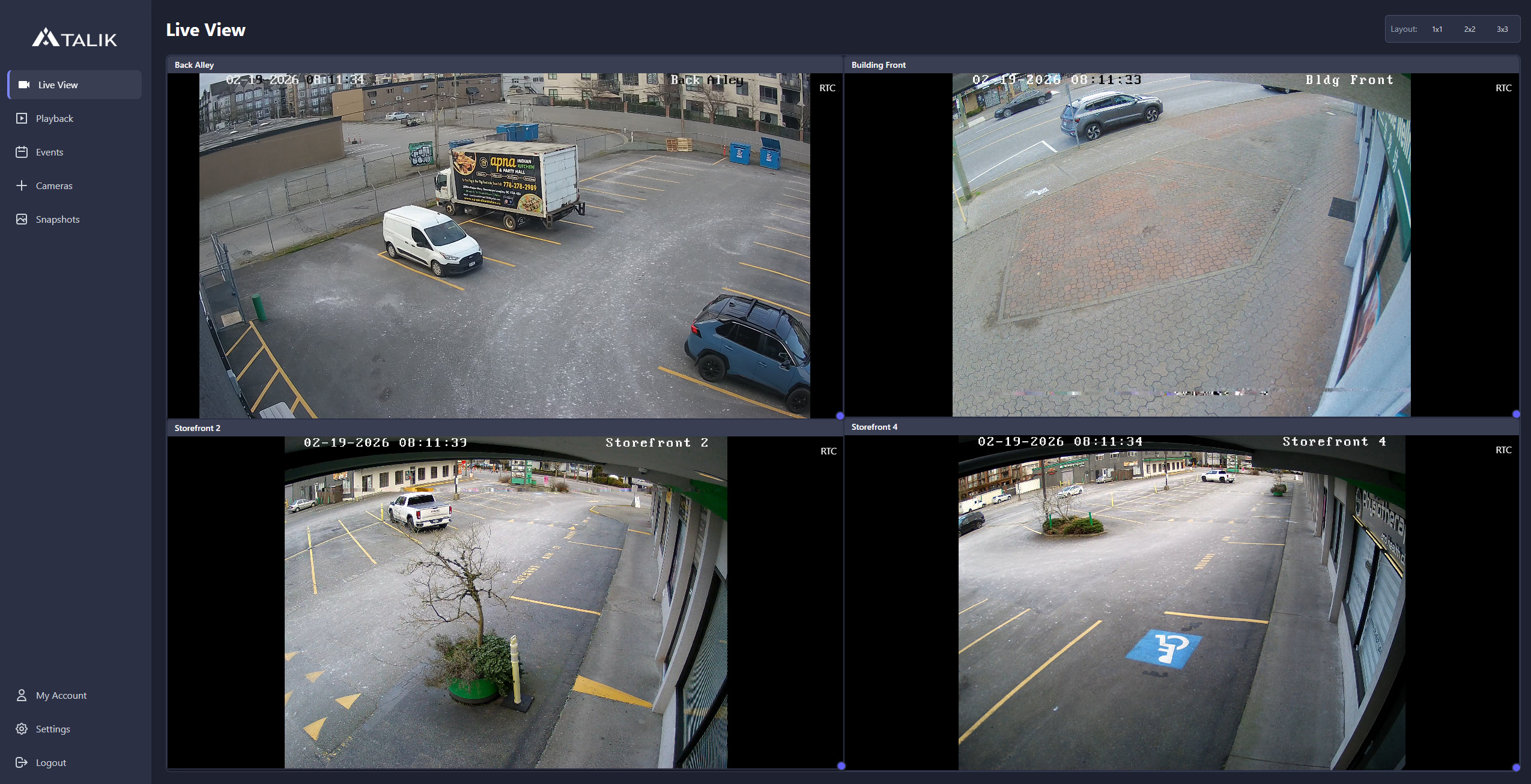
The Live View interface offers real-time monitoring of authorized cameras with low-latency WebRTC streaming. No ActiveX or outdated plugin installations required.

Dynamic Layouts

Choose from set grids that scale with your system, or viewports can be manually resized and repositioned via drag-and-drop. Layouts are persisted locally so you don't need to rearrange things every time you login.

Audio Support

Viewport controls include an audio toggle for cameras with integrated microphones. The system automatically negotiates H.264 or H.265 codecs based on browser compatibility.

Talik NVR WebRTC Live View Interface showing drag-and-drop dynamic camera layouts
Screenshot of the Talik NVR Live View dashboard with four active camera streams.
⏺️

Intelligent Recording Engine

Talik employs a database-driven recording engine that operates autonomously based on motion or constant recording needs.

01

Self-Healing: The backend proactively monitors recording health. If a network failure occurs, the system automatically restarts the ingest process once the camera is back online.

02

Pre/Post-Roll Buffering: Configure specific durations to record video prior to and following a motion detection event.

03

Segmented Video: Footage is stored in short chunks (typically 2s). Buffer files are promoted to permanent storage or deleted depending on the active recording mode.

Talik NVR synchronized playback interface with timeline scrubbing and event logs
Sync_Playback
The Talik NVR playback timeline showing specific AI-tagged events synchronized with the video feed.
🗓️

Scheduling & Priority Rules

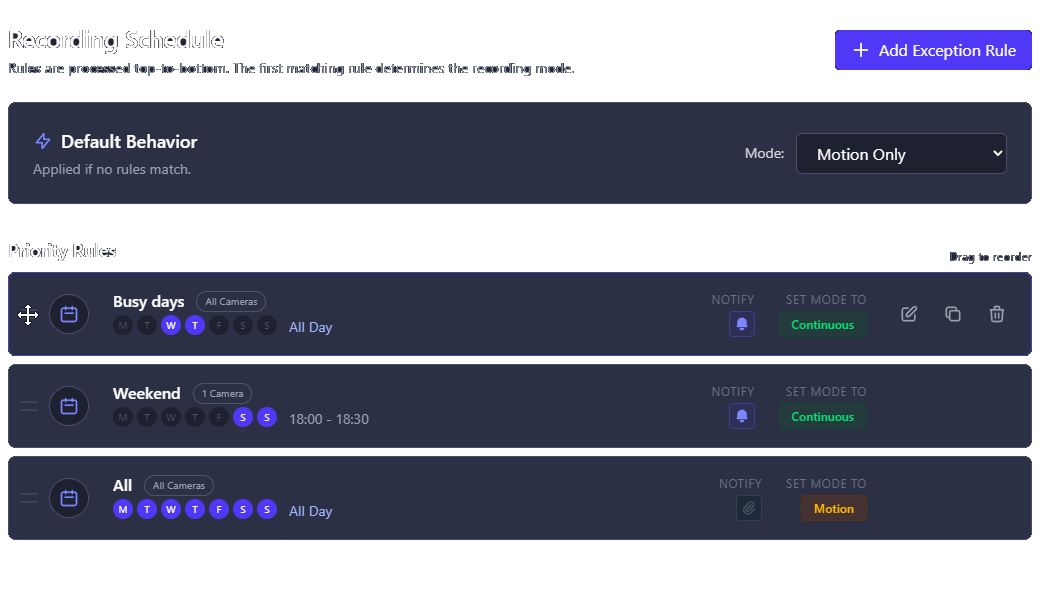
Automation of recording behavior is managed through a prioritized rule engine. Rules are processed from top to bottom; the first rule to match a camera ID and the current time determines the mode.

Rule Types

Create "Weekly" schedules for repeating patterns or "Calendar" rules for one-time exceptions. Rules can target all cameras or specific subsets.

Notification Silence

Each schedule rule includes a notification toggle. This allows for recording motion during the day without receiving push alerts.

Recording schedule management interface with priority rules
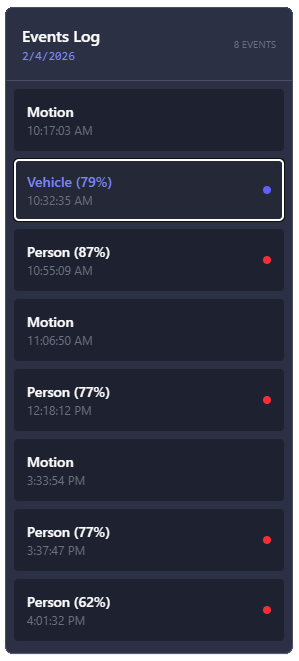
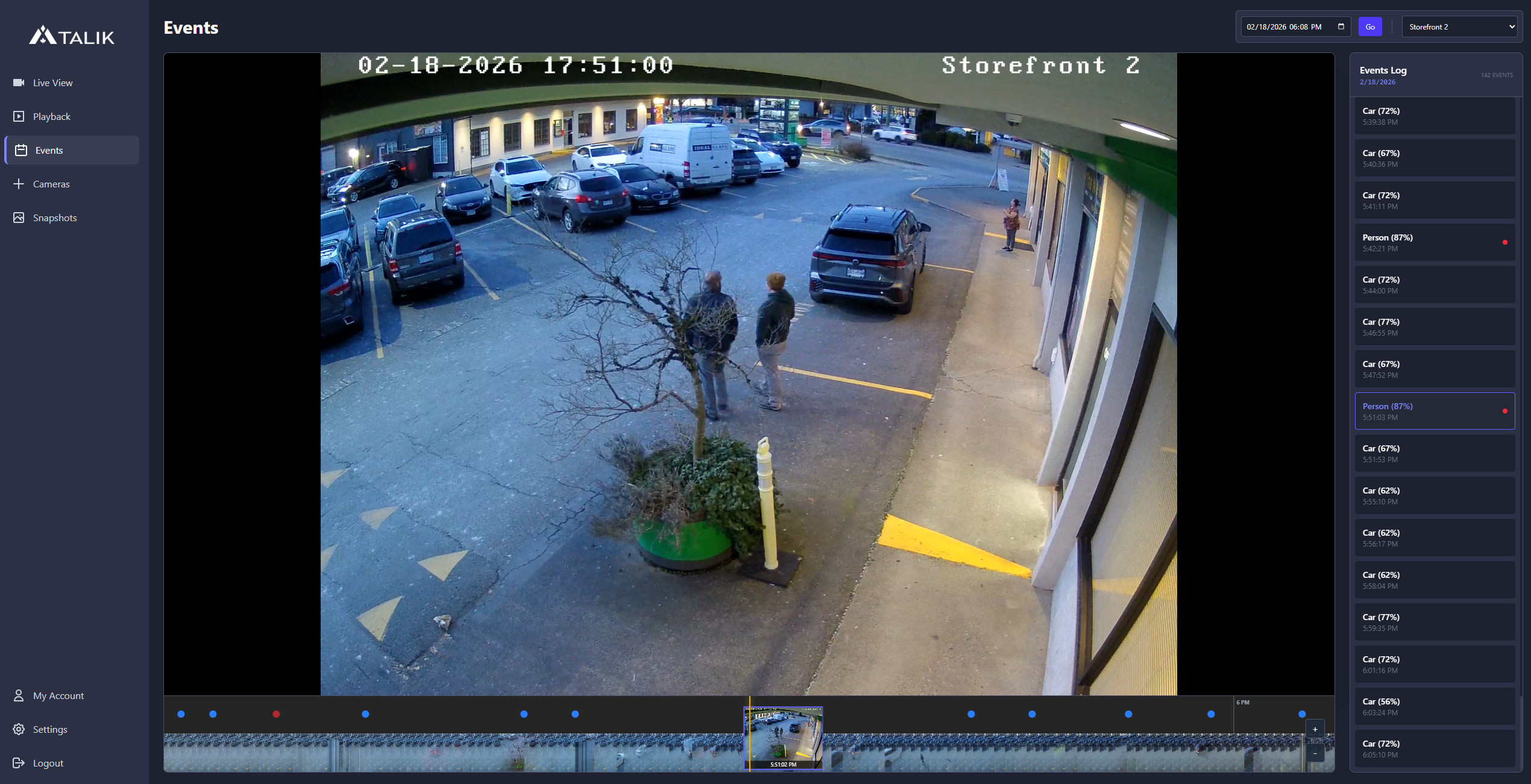
Talik security event log interface showing AI detection
Core_Inference
🧠

AI Detection & Analysis

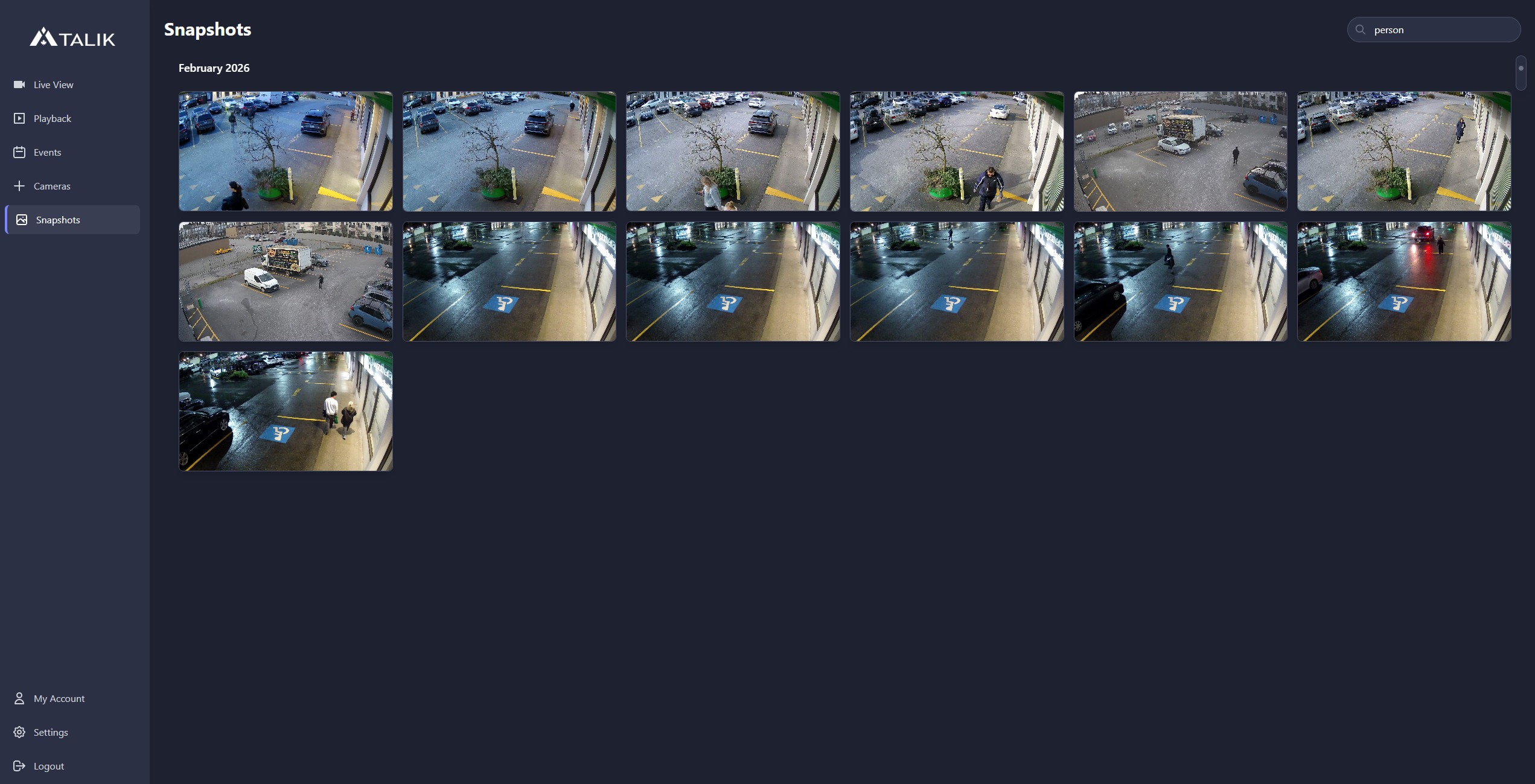
Talik integrates local Edge AI with an adaptive motion engine to ensure alerts are meaningful and accurate. Object recognition is performed entirely on your hardware without cloud dependencies, identifying specific targets like persons, vehicles, and animals.

Dynamic Motion System

Traditional NVRs use a Fixed Threshold (e.g., triggering if > 50 pixels change) which leads to constant false alarms during rain, snow, or light shifts. Talik utilizes an Adaptive Baseline that calculates an exponential moving average of environmental motion. Alerts are only triggered when a sudden spike exceeds this dynamic baseline by a specific sensitivity factor, effectively filtering out background noise.

Region of Interest (ROI)

Draw custom polygon zones for each camera to ignore specific areas like public sidewalks or swaying tree branches, ensuring the AI only analyzes the areas that matter to your security.

Event Upgrading

When the motion engine triggers, the system "Upgrades" the event by running AI inference. If a person or vehicle is confirmed with high confidence, the generic "Motion" event is re-labeled and prioritized in your security logs.

💾

Storage Management

The system automates disk maintenance to ensure the NVR remains functional without manual cleanup.

  • Retention & Storage Limits Users can define retention days or specific storage quotas (MB) per camera. Once limits are reached, the system purges the oldest files first.
  • Manual Pruning Administrators can trigger an immediate cleanup of data older than a set number of days via the System dashboard.
🌍

Networking & Remote Access

Talik provides secure remote access without the security risks of traditional port forwarding.

Secure Remote Tunnel

A built-in agent connects to the Talik Hub using your license key to establish a secure bridge for external viewing.

Camera Discovery & Sync

The system scans multiple network interfaces to locate ONVIF devices. It also features a "Sync Time" function to align camera clocks with the NVR's UTC time to ensure authentication stability.